Native workflows
Native workflows are the platform’s pre-built multi-step pipelines: one submission and the platform automatically executes stages like QC, alignment, quantification, DE, and enrichment in order, passing intermediate files along and archiving artifacts per stage.
The current catalog contains 7 directly verified frontend workflow/report entries. The five standard multi-step native workflows are listed below; the other two entries serve the GWAS form and report delivery.
Native workflows vs. regular tools
| Dimension | Regular tool | Native workflow |
|---|---|---|
| Steps | Single step (e.g. one DESeq2 run) | Multi-step chain (QC → alignment → … → enrichment) |
| Inputs | You prepare inputs for each step yourself | Provide raw data + sample design once; intermediates flow automatically |
| Submission | 1 task | 1 task chain (parent task + per-stage subtasks) |
| Best for | Flexible combinations, re-running just one step | Standardized end-to-end analyses |
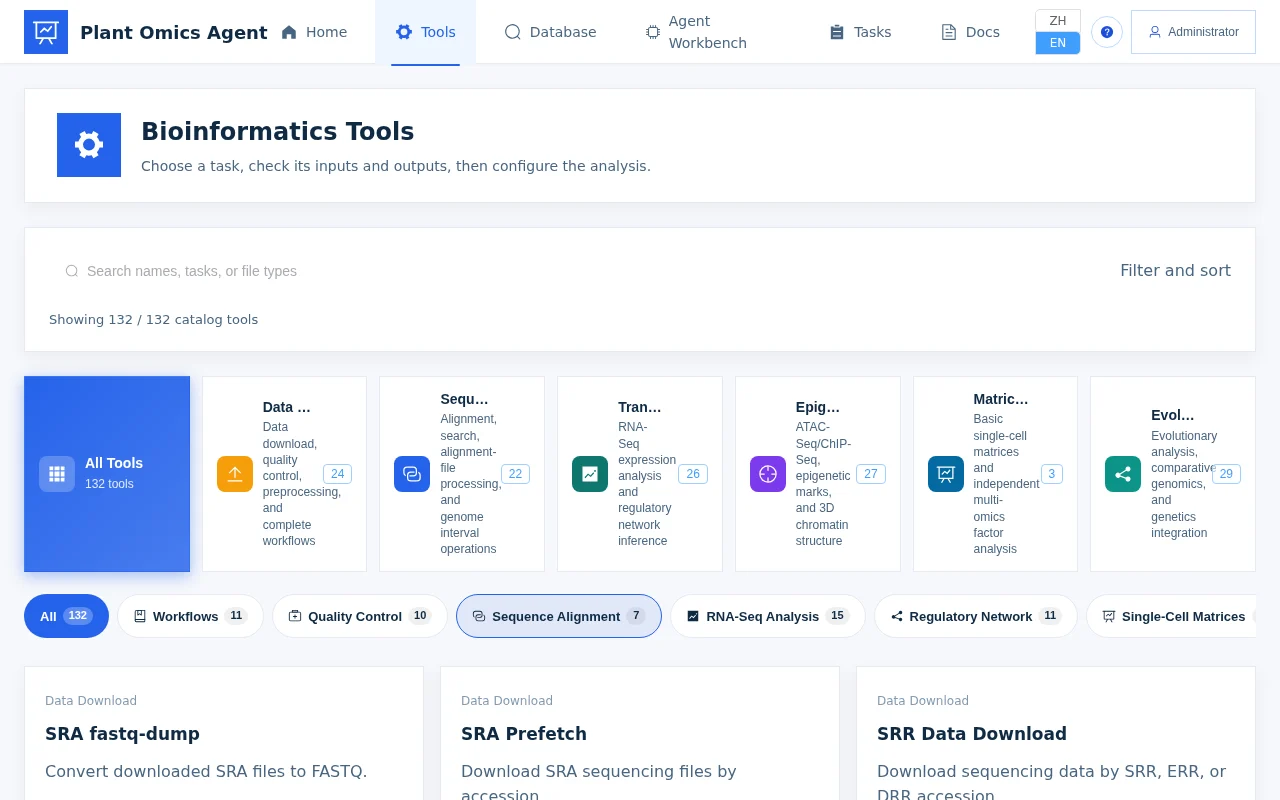
Both appear side by side in the tool catalog: use regular tools when you need fine-grained control of a single step, and native workflows to run a standard pipeline end to end.
The 7 directly verified frontend entries and submission rules
| Workflow | Stages covered | Submission |
|---|---|---|
| RNA-seq | QC → trimming → alignment → quantification → DE → enrichment | Direct submission from the tool catalog (verified) |
| ATAC-seq | QC → alignment → filtering → MACS3 peak calling (optional IDR consensus / differential) | Direct submission from the tool catalog (verified) |
| ChIP-seq | QC → alignment → peak calling → signal visualization / peak annotation / motif / GO-KEGG (optional switches) | Direct submission from the tool catalog (verified) |
| scRNA-seq | quantification → Scanpy QC filtering → highly variable genes → dimensionality reduction → clustering | Direct submission from the tool catalog (verified) |
| GWAS | intent review → QC (missingness / MAF) → kinship + PCA → five-model association (GEMMA + rMVP) → SnpEff annotation → CMplot plots → HTML report + delivery ZIP | One-page form in the frontend |
Direct-submission workflows expand into task chains where each stage is a subtask with its own status and logs; GWAS uses a dedicated one-page frontend form — fill it once, pass the intent review, and the same full task chain is generated (see GWAS end-to-end).
RNA-seq end-to-end walkthrough
1. Prepare inputs
- FASTQ files: one (or one pair of) FASTQ per sample, uploaded to File Management first;
- Sample metadata sheet: sample names and group information (e.g. control / treatment), with columns matching the sample names.
2. Fill the form
Open the “RNA-seq workflow” in the tool catalog and fill in:
| Form field | What to enter |
|---|---|
| Sample FASTQ | Select each uploaded file |
| Reference genome | Pick the species reference (versioned built-ins such as maize B73, or a custom FASTA + GTF) |
| Sample groups / comparison | Specify the group column and the control vs. treatment direction |
| Significance thresholds | padj (default 0.05) and log2FC (default 1.0) |
| Sequencing parameters | Library type / strand specificity (default directional PE), thread count |
3. Submit and watch the task chain
After submitting, a task chain appears on the Tasks page and stages run in order:
QC (FastQC/MultiQC) → trimming (fastp/Trimmomatic) → alignment (HISAT2/STAR)
→ quantification (featureCounts/Salmon) → DE (DESeq2) → enrichment (GO/KEGG)
Each stage’s live log can be opened as it runs; the previous stage’s outputs are fed automatically into the next stage.
4. Download results and the report
When the chain finishes, download from the artifact list by stage:
- QC reports (the MultiQC summary page);
- Alignment and quantification statistics tables, and the expression matrix;
- DE gene table (CSV, with padj / log2FC);
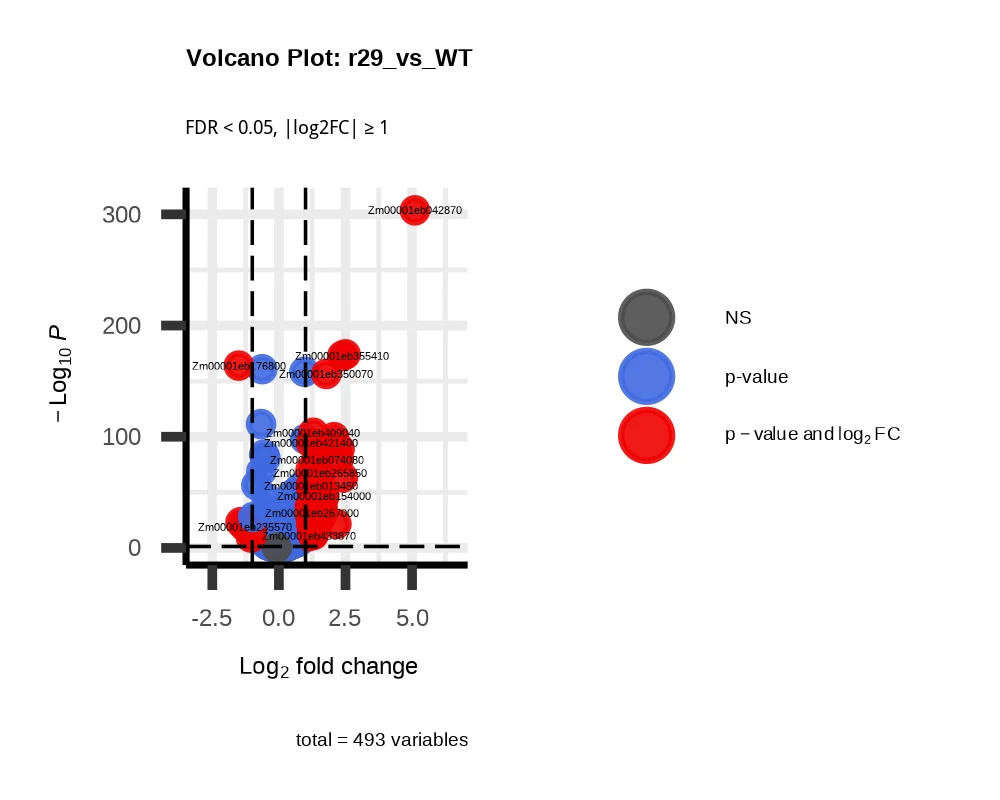
- Volcano plots, MA plots, and other visualizations;
- GO / KEGG enrichment tables with bubble and bar plots;
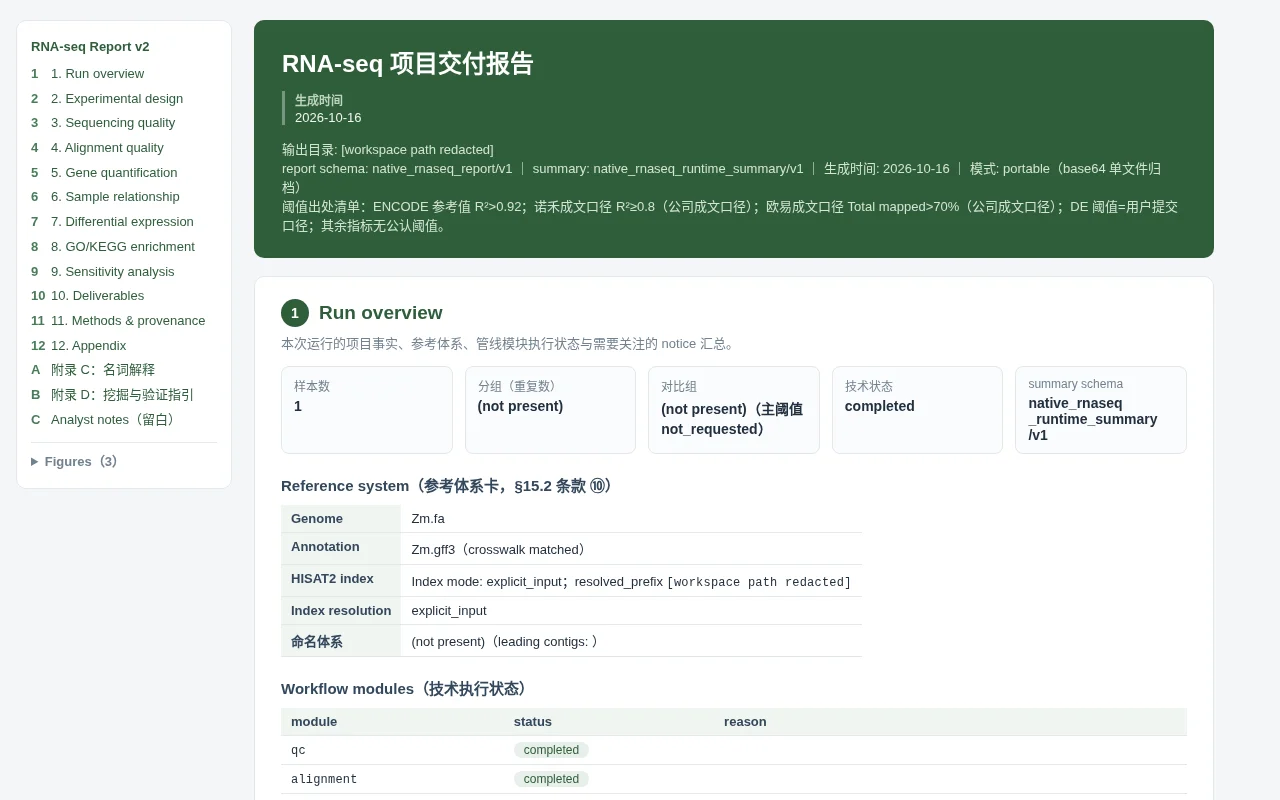
- the self-contained HTML analysis report: a single file summarizing whole-chain metrics and figures, opening directly in a browser (see “Report and delivery” below).
Report and delivery
Standardized workflows don’t just drop loose files — they close out with a “report + delivery package” (common to RNA-seq / ChIP-seq / GWAS and others):
- Self-contained HTML report: a single file that opens directly in a browser, summarizing per-stage QC metrics, statistics tables, and publication-grade figures — easy to archive and share as-is;
- Publication-grade figures: volcano plots, Manhattan plots, QQ plots, enrichment plots, and more, output to publication specs (vector and high-resolution raster);
- Project delivery ZIP: all analysis artifacts, logs, and intermediate files in one archive — unzip and use, ready for archiving and handoff.
Failure reruns and log inspection
- Locate the stage: the task chain shows which stage failed (e.g. a non-zero exit code at alignment);
- Read the logs: open that stage’s subtask live/error log — common causes are a wrong FASTQ path, mismatched reference and annotation versions, or a malformed threshold;
- How to rerun:
- Fix the parameters and resubmit the whole workflow; or
- Re-run only the affected downstream steps: the single-step tools behind each chain stage (fastqc, hisat2, deseq2, enrichment, etc.) are also available in the tool catalog, so you can rerun just that step with the previous stage’s artifact as input.
The GWAS chain goes further: stages such as QC, association, and annotation are themselves independent stage tools, so any single stage can be rerun on its own (see GWAS end-to-end).
Next steps
- Manual mode: the Tasks page, logs, and artifact management.
- GWAS end-to-end: the genetic analysis pipeline submitted from a one-page form.
- Homologous genes & gene families: one-click multi-step analyses.