Quick start
Plant Omics Agent is a human-AI collaborative platform for plant omics analysis, built around two usage paths:
- Manual Submission: pick a tool from the analysis tool catalog, fill in parameters, submit the task, inspect logs, and download results;
- Agent-Assisted: describe what you need in natural language in the Agent Workbench; the Agent calls tools under tiered permissions with write confirmation, queries databases, reads task logs, and every submission action is subject to a confirmation gate and audit.
Both paths share the same tool, task, and result management — no matter which path a task comes from, you can track it, view its logs, and download its artifacts on the Tasks page.
Deployment and access
Self-hosted deployment (one-command Docker start)
git clone <repo-url> && cd plant_omics_agent
cp .env.runtime.secrets.example .env.runtime.secrets
# Edit .env.runtime.secrets: at minimum set DB_PASSWORD, JWT_SECRET_KEY, and one LLM API key
./scripts/auto_start.sh
The first startup takes about 2–5 minutes. No GPU required: bioinformatics tools run in local containers, and LLM calls go through cloud APIs.
Access entries
| Entry | URL | Notes |
|---|---|---|
| Web UI | http://localhost:30080 | Default entry for local deployments |
| Main platform | https://omicsagent.xyz | Public entry, accelerated via Cloudflare |
| China mainland accelerator | https://www-ai.u1289916.nyat.app:26572 | More stable in mainland China; same service as the main platform |
API documentation is available at http://localhost:38000/docs.
First login
- Open the Web UI URL to reach the login page;
- On first login the system guides you through setting the administrator account password;
- After logging in you land on the platform home page.

After a successful login you land on the platform home page, whose top navigation switches between the four entries:
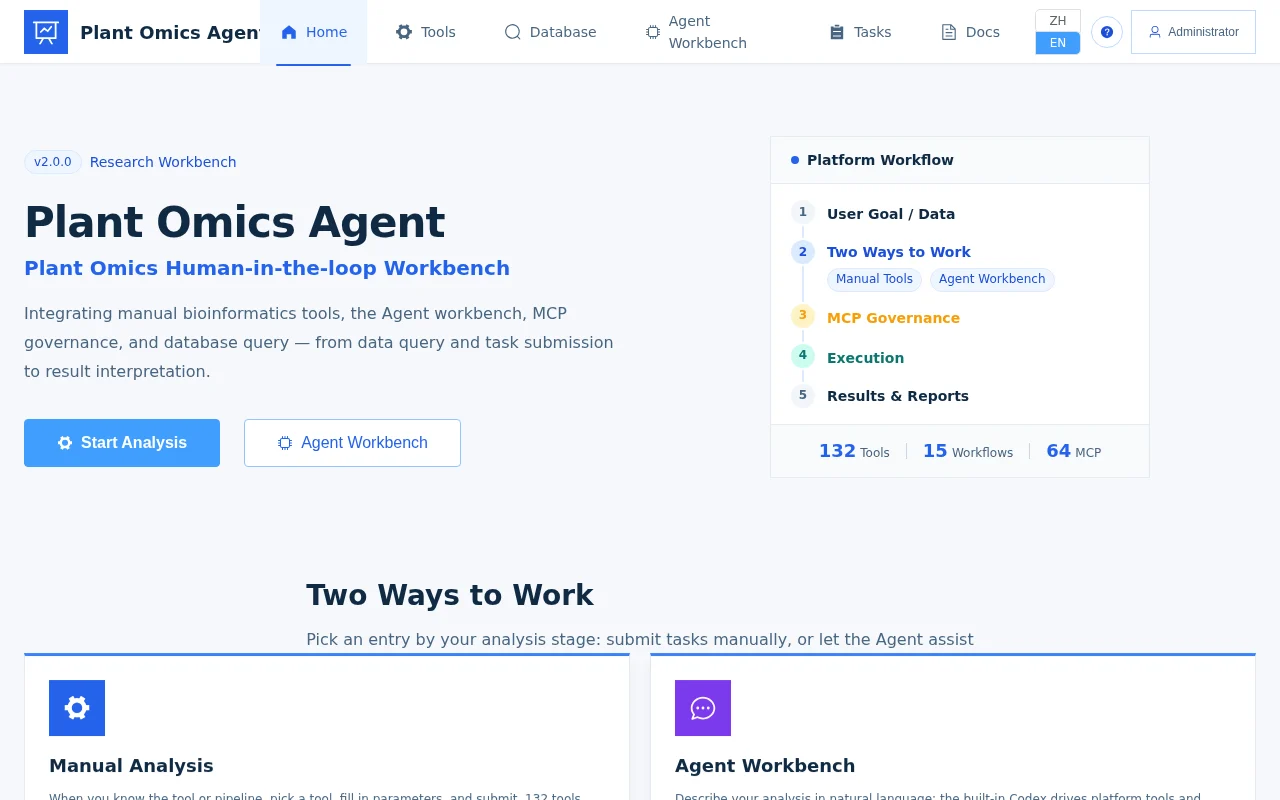
Home page tour
From the home page you can reach four core entries:
| Entry | What you do there | When to use it |
|---|---|---|
| Analysis Tools | Browse the tool catalog: single-step tools, native multi-step workflows, one-click pipelines | You already know which analysis to run |
| Databases | Query 19 public databases plus specialized resources such as maize; results can be retained as query records or file artifacts | You need gene function, regulation, or literature evidence |
| Agent Workbench | Describe your needs in natural language and let the Agent gather evidence, submit tasks, and interpret results | Exploratory analysis, or when you’re unsure which tool to use |
| Tasks | Check task status, live logs, and artifact lists; download results | End-to-end tracking after submission |
Path 1: Manual Submission in 5 steps
- Upload data: open File Management and upload your input files (FASTQ/FASTA/expression matrix, etc.; drag-and-drop supported).
- Pick a tool: open Analysis Tools, browse by domain or search, and click through to the tool detail page.
- Fill parameters: command-line parameters are rendered as a form; required fields are marked with an asterisk, and file parameters let you pick from uploaded files.
- Submit the task: click submit and the task enters the queue; the Tasks page shows status transitions and live logs.
- Download results: when the task finishes, review the artifact list and preview or download online.
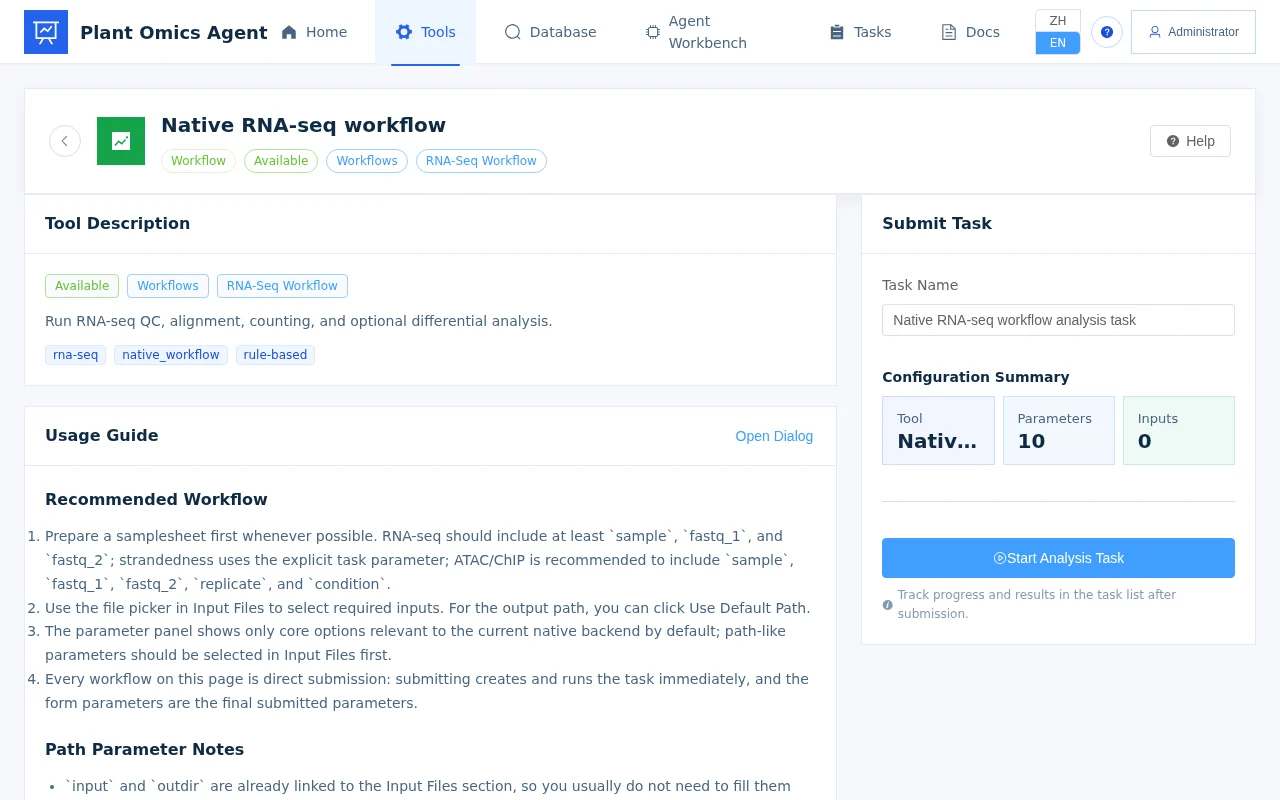
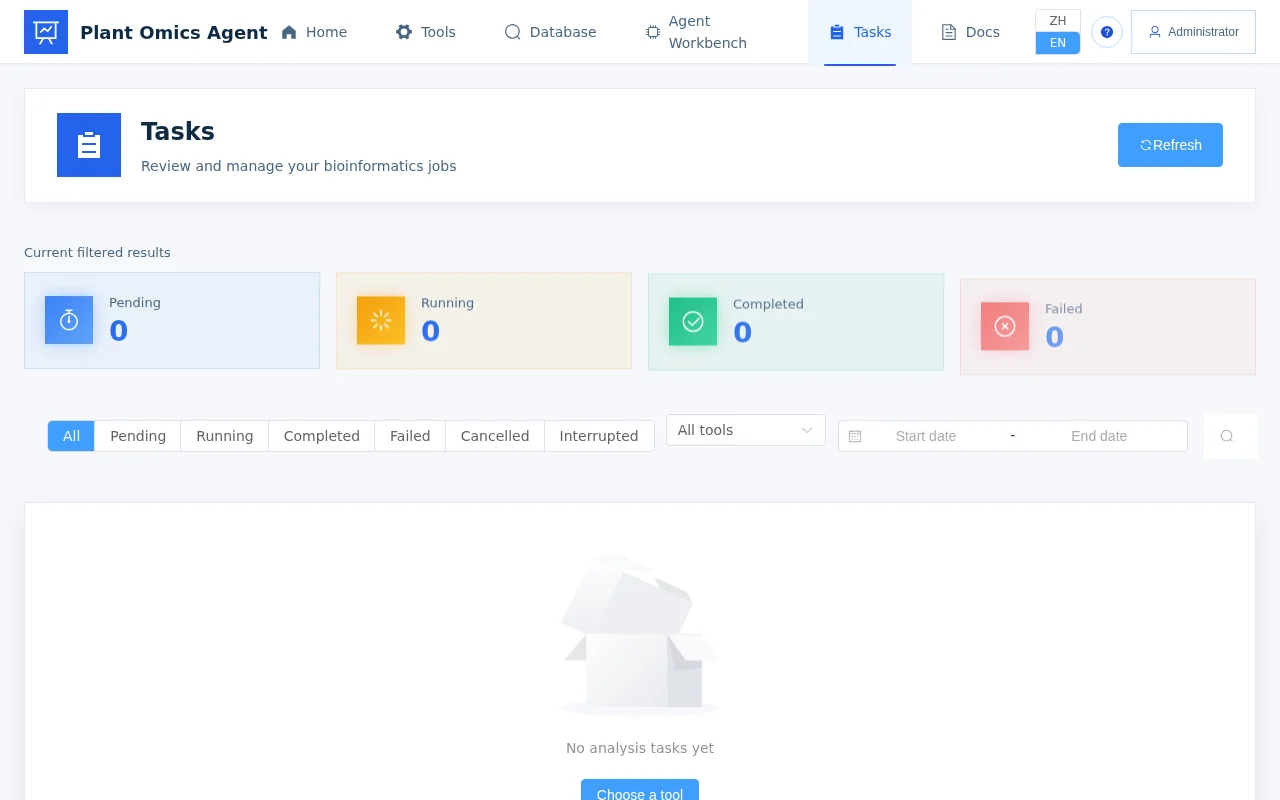
See Manual mode for details.
Path 2: Agent-Assisted in 6 steps
- Open the Agent Workbench: launch it from the home page navigation.
- Prepare data: upload the files you want analyzed to the platform (the Agent references workspace and task-artifact files).
- Describe your need: for example, “Run differential expression on this expression matrix with FDR < 0.05, then do GO enrichment on the significant genes.”
- Review the plan: the Agent searches available tools and proposes an approach; you can ask follow-up questions about why it chose them.
- Confirm and submit: write operations such as submitting a task (L2) require your confirmation before the Agent executes them.
- Read the results: the Agent reports task status and artifact locations, and can interpret the results for you on request.
[Screenshot coming: an Agent conversation that includes a task-submission confirmation]
See Agent-assisted mode for details.
Common startup issues
| Symptom | Troubleshooting |
|---|---|
| Port already in use | ss -lntp | grep -E '30080|38000', then edit the port mappings in docker-compose.yml |
| Database connection failed | Confirm DB_PASSWORD is set and the MySQL 8.0 container is up: docker compose ps |
| LLM call errors | Confirm the API key is valid and has sufficient balance; accessing OpenAI from mainland China requires a proxy |
| Blank page | Hard refresh with Ctrl+Shift+R; check the browser console for errors |
For more issues see the FAQ.
Next steps
- Usage paths: the two usage paths and three entry types, and how to choose.
- Native workflows: one-click direct submission for multi-step pipelines such as RNA-seq.
- Use cases: end-to-end analysis examples.