Use cases
This page walks through 5 end-to-end cases covering the platform’s two usage paths: Manual Submission and Agent-Assisted. Each case is laid out as goal / inputs / steps / outputs and can be followed as-is.
Case 1: Candidate-gene evidence integration (Agent-Assisted)
Goal: given a candidate gene (or DEG, motif) table, systematically assemble transcription factor regulatory evidence for every candidate.
Inputs: a candidate gene / DEG / motif table (CSV/TSV with a gene ID or symbol column), uploaded to the platform.
Steps:
- Open the Agent Workbench and describe the job: “For this candidate-gene table, assemble the TF regulatory evidence for each gene”;
- The Agent parses the table and verifies gene identities (gene-identity-gate), then unifies IDs with gene_id_mapper;
- It searches across MaizeGDB, JASPAR, and PlantRegMap;
- motif_to_tf_mapping links motifs to transcription factors (walking CIS-BP / JASPAR 2026);
- When visualization is needed, the Agent requests confirmation and then submits plotting / enrichment tasks.
Outputs: an integrated evidence table (gene × TF × evidence source) that can be saved as a query record or file artifact for downstream analyses.
[Screenshot coming: Agent conversation and results table for candidate-gene evidence integration]
Best for: when you want to know “which TFs regulate my candidate genes,” querying each database by hand is slow — the Agent orchestrates it in one pass, with an audit trail on every call.
Case 2: RNA-seq native workflow direct submission (Manual)
Goal: run the full standard RNA-seq analysis from raw FASTQ in one go, ending with DE genes and enrichment results.
Inputs: per-sample FASTQ files + a sample metadata sheet (sample names, groups).
Steps:
- Upload all FASTQ files in File Management;
- Open the RNA-seq workflow under Analysis Tools; in the form select samples, reference genome, groups and comparison, and thresholds;
- Submit — this generates the task chain: QC → trimming → alignment → quantification → DE → enrichment;
- Watch stage-by-stage progress on the Tasks page and open the logs to confirm QC and alignment rates look healthy.
Outputs: MultiQC report, expression matrix, DE gene table (padj / log2FC), volcano and MA plots, GO/KEGG enrichment tables and plots.
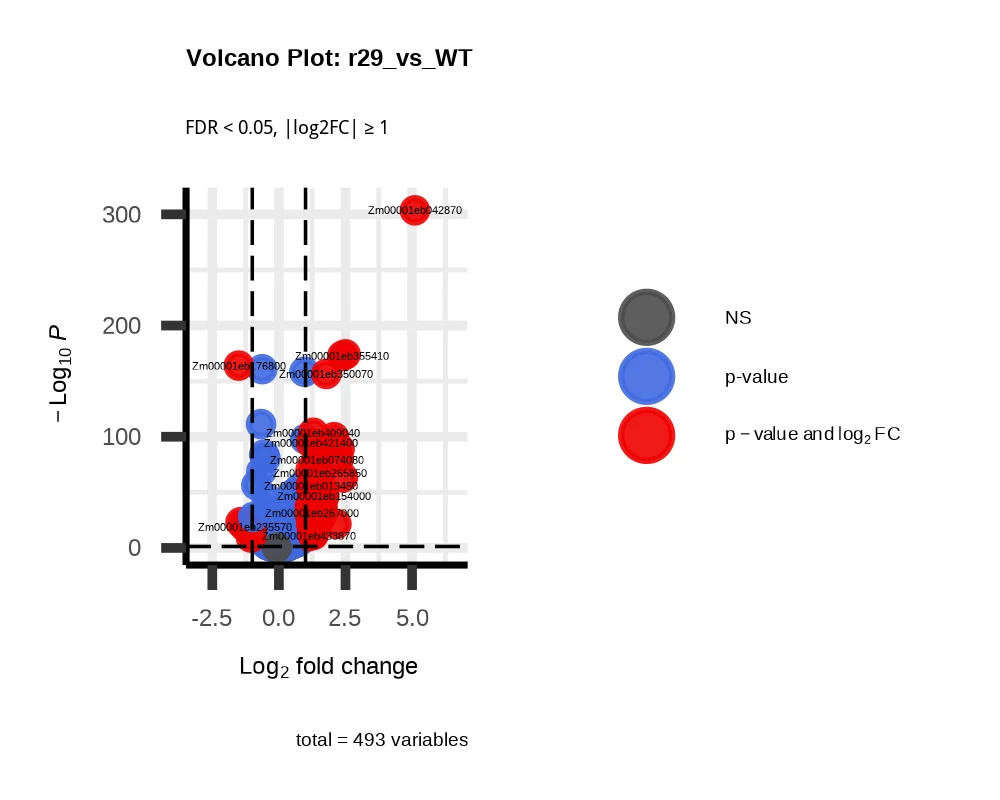
Full steps are in the end-to-end walkthrough under Native workflows.
Case 3: GWAS via the one-page form (Manual)
Goal: run a genome-wide association study on a population panel and pinpoint loci and candidate genes tied to the target phenotype.
Inputs: genotype file (a single VCF or the PLINK BED trio), phenotype table (sample × trait values).
Steps:
- Upload the genotype and phenotype files;
- Open the GWAS workflow under Analysis Tools; in the one-page form select the genotype file, phenotype file, trait column (dropdown), and reference version (B73 v4 / v5 / Others);
- Pass the pre-submission intent review: confirm that the selected files and reference tier match;
- The chain runs automatically: QC (missingness / MAF / samples) → kinship + PCA → five models in one submission (GEMMA LMM/LM + rMVP GLM/MLM/FarmCPU) → significance-ladder tiers → SnpEff effect annotation → CMplot publication-grade plots;
- When needed, run same-version local gene annotation and GO/KEGG enrichment (dual B73v4/v5 backgrounds) on the candidate genes.
Outputs: QC metrics, five-model association tables, SnpEff annotations, publication-grade Manhattan / QQ plots, significance-ladder tables, a self-contained HTML summary report, and the project delivery ZIP.
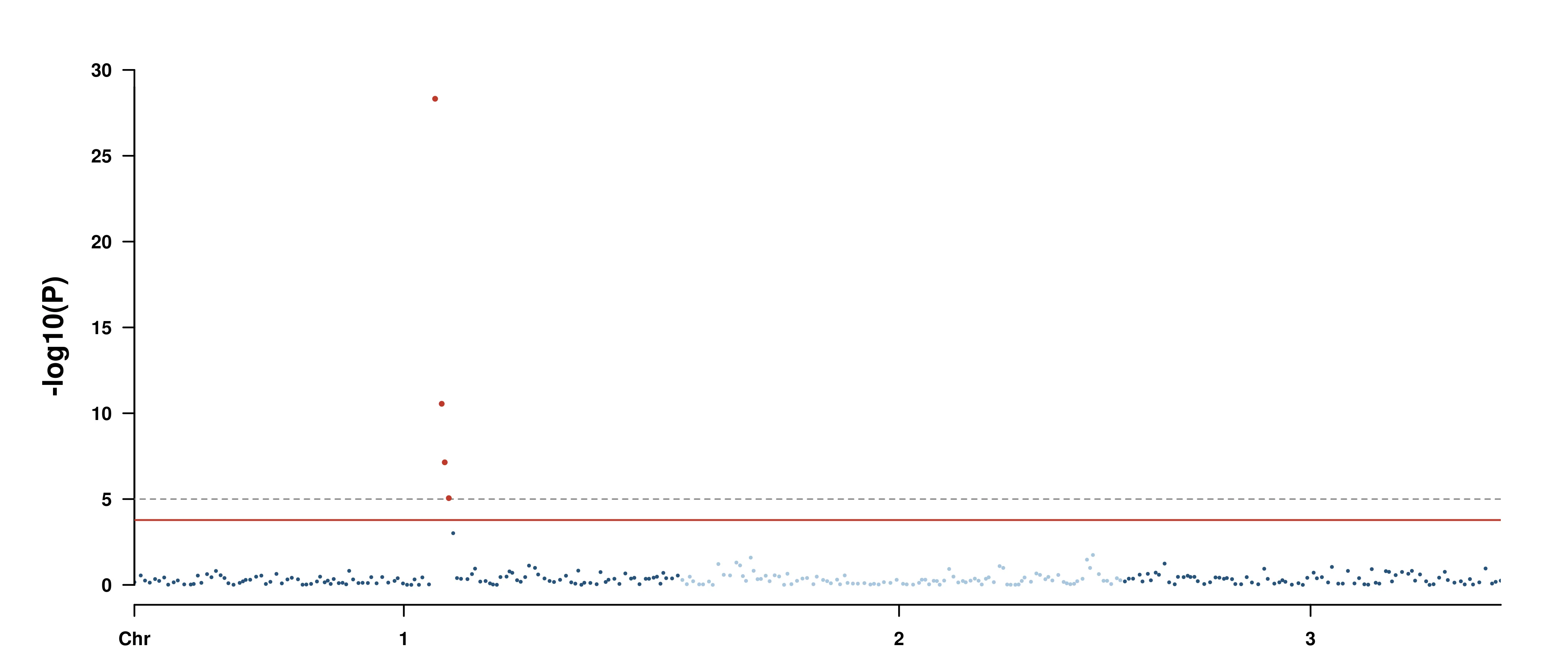
Validated end to end twice on real data (run-scale facts): one full-genome rerun took about 88 minutes; all five models completed with 2,421,381 valid P rows per model; the delivery contained 234 files, about 458 MB.
See GWAS end-to-end for the full picture.
Case 4: Homologous gene identification (Manual one-click pipeline)
Goal: identify orthologous genes across two (or more) species as groundwork for cross-species functional transfer.
Inputs: protein FASTA per species (the orthogroup approach needs ≥2 species; the one-click pipeline additionally needs CDS/genome files and GFF annotation for synteny).
Steps:
- Upload each species’ FASTA and annotation files;
- Pick the identification approach in the tool catalog and fill parameters:
- homolog_rbh: two-species RBH/cRBH reciprocal best hits — fast and direct;
- homolog_orthogroup: OrthoFinder infers orthogroups — best for many species;
- homolog_one_step: one click chains BLAST + RBH + orthogroup + synteny;
- Submit the task (or task chain) and wait for completion.
Outputs: orthologs.tsv (ortholog pairs), rbh_detail.tsv and scatter plot, orthogroups.tsv plus the species × group matrix, and syntenic block files.
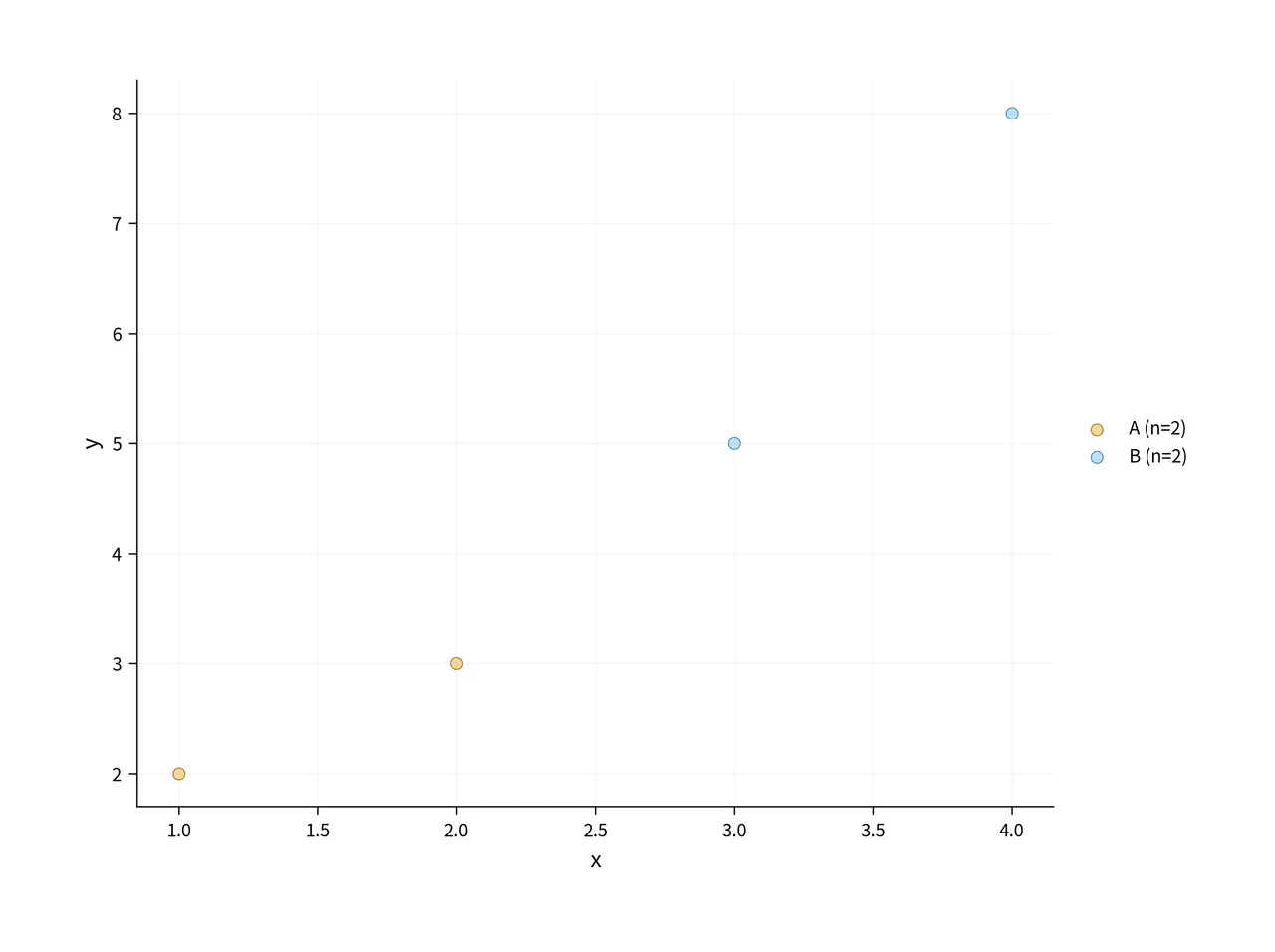
See Homologous genes & gene families.
Case 5: Report and delivery (common to the workflows)
Goal: once an analysis finishes, get a report and delivery package you can archive, share, and take into paper writing.
Inputs: any finished workflow task (RNA-seq / ChIP-seq / GWAS, etc.).
Steps:
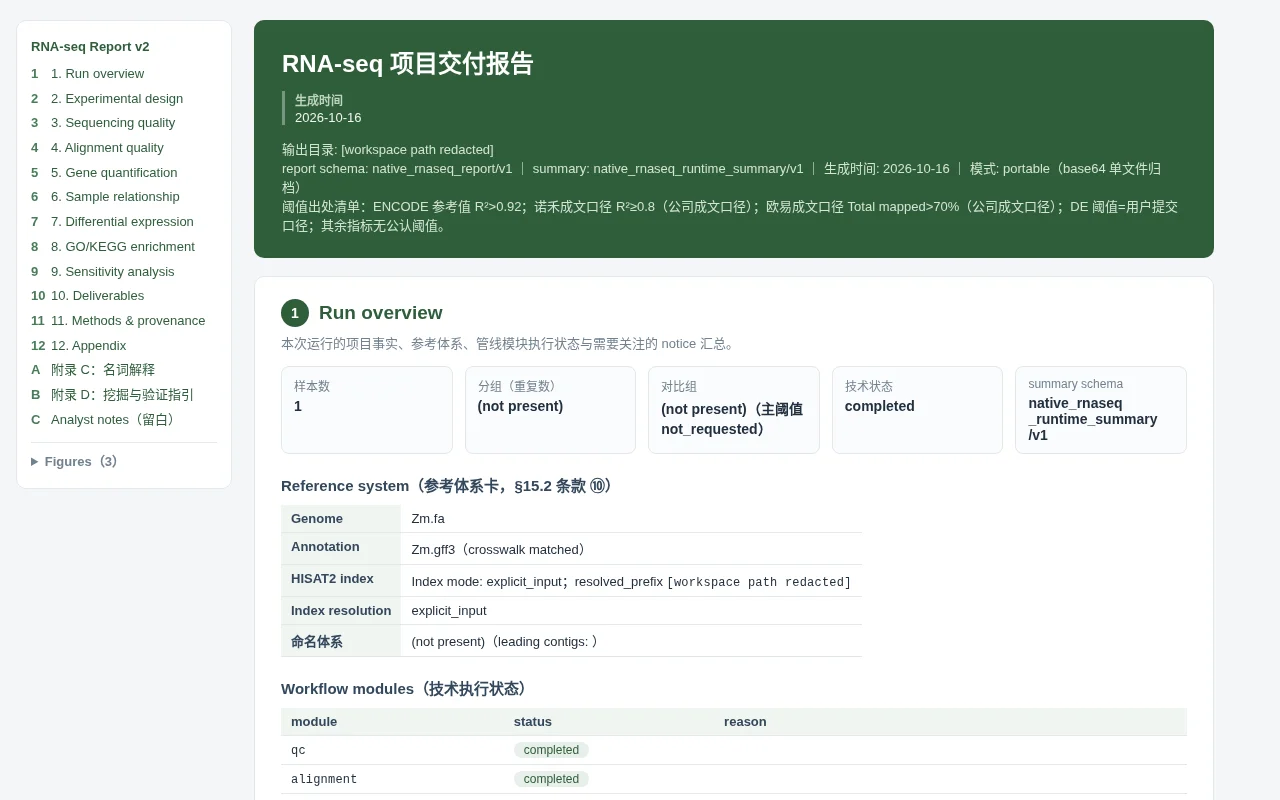
- When the task completes, open the self-contained HTML report from the artifact list: a single file that opens directly in a browser, summarizing per-stage metrics, figures, and tiered results;
- Download the project delivery ZIP: statistics tables, figures, logs, and intermediate files in one archive — unzip and use;
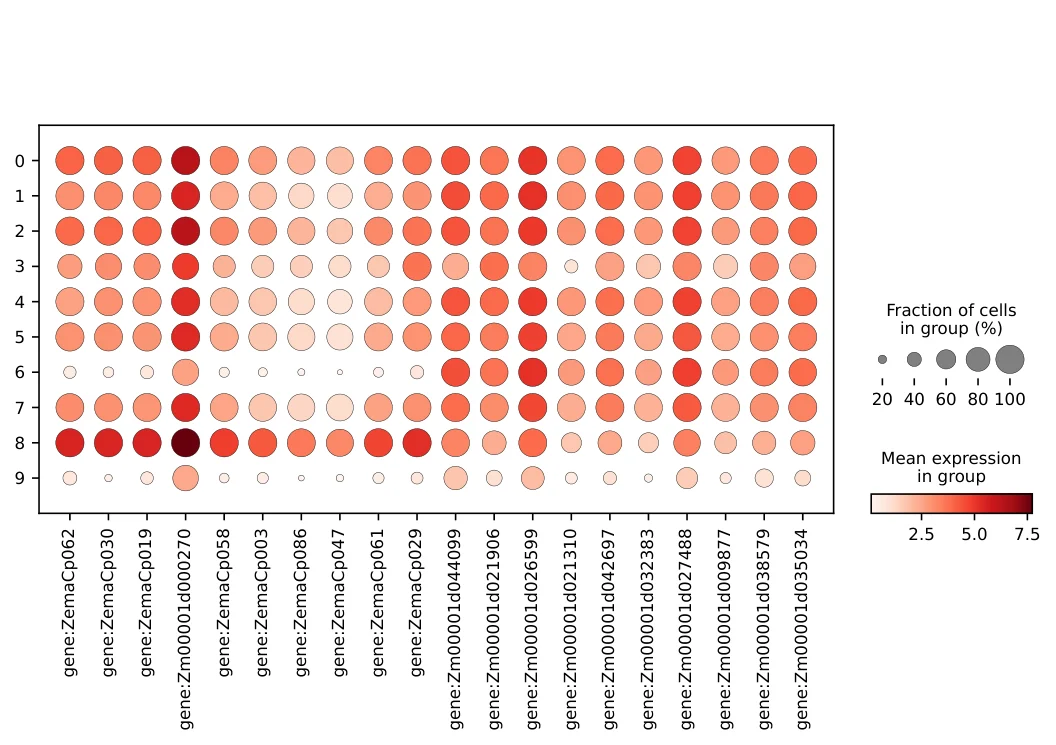
- Enrichment results come with publication-grade figures (bubble / dot plots, etc.) ready for lab meetings and paper figures.
Outputs: the self-contained HTML report, the delivery ZIP, and publication-grade enrichment figures such as the dot plot.
More scenarios
These 5 cases cover evidence integration, transcriptomics, genetic mapping, report delivery, and evolutionary comparison. The platform’s 132 built frontend entries can be combined freely for many more scenarios: ATAC-seq / ChIP-seq epigenomic analyses, single-cell downstream analysis, WGCNA regulatory networks, scientific plotting, enrichment, and more. For entry selection see Usage paths.
* Static catalog count as of 2026-10-16, not successful-run count.